Note grid
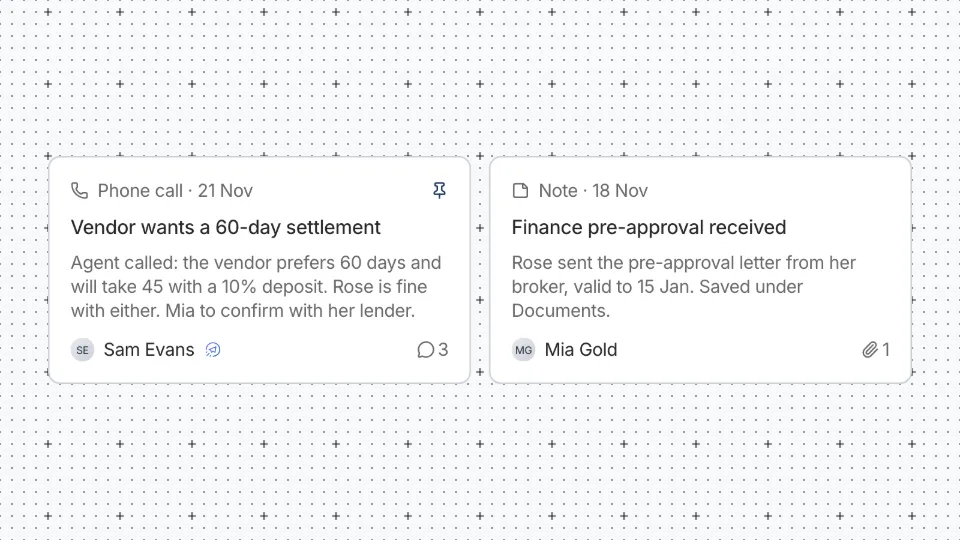
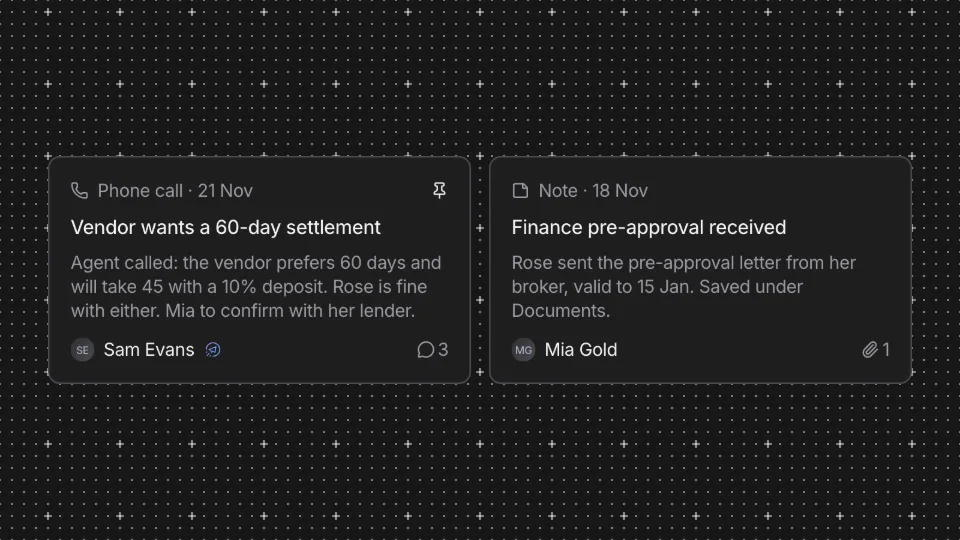
The workspace's notes: the section header with its count and View all, the writing row, then two columns of tiles with pinned notes first. With no notes, one quiet line says so and the writing row sits under it. When someone is taken to a note, it scrolls into view and takes the highlight.
BetaReady to use. Its API can still change in a minor release; the changelog says when.
LEAP CRMBuilt for the CRM from the core library. It knows about the CRM's own records, so it isn't a general building block.
import { NoteGrid } from "@leap-crm/design-system";Notes on an opportunity
Press a tile to select it. The button lands on a note the way a notification would.
Notes
4Open a note
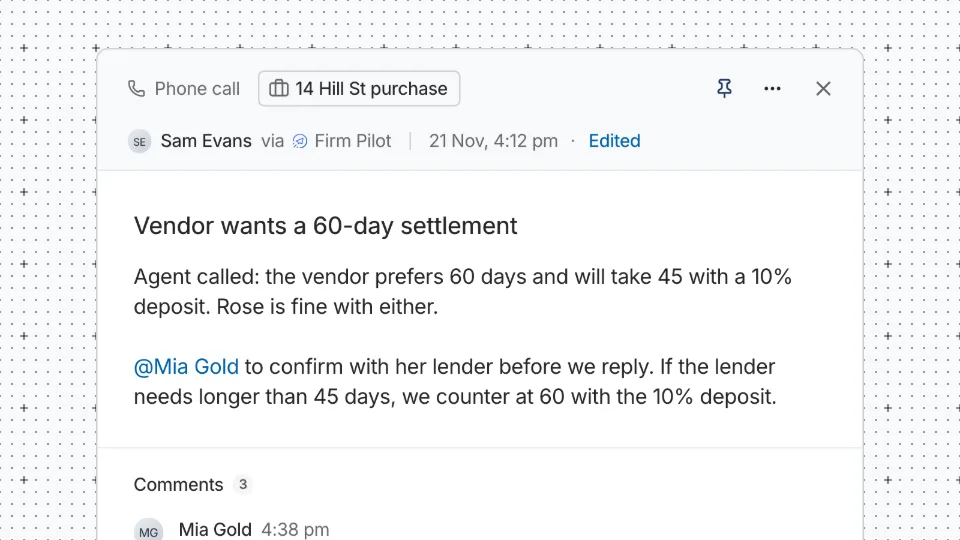
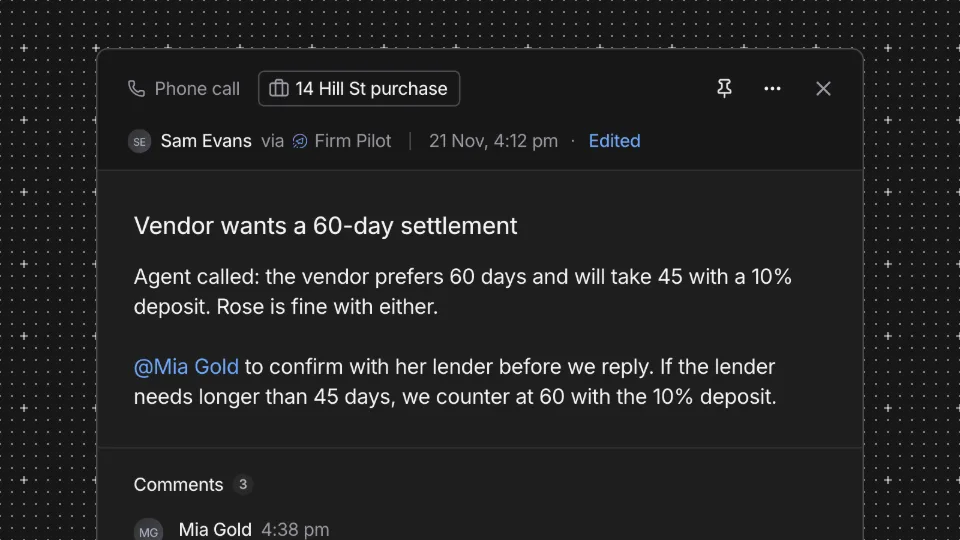
Press a tile. The tile itself grows into the open note on the right: one surface moving and resizing over 300 ms, the tile's words leaving first and the note's band, words and comments arriving after it. Close, Escape or the dimmed grid sends it back into its slot. With reduced motion it only crossfades.
Notes
4Empty
Notes
No notes yet
What the examples share
The imports and the scaffolding the examples above call. The scaffolding lives in this page, not in the library.
import { useState } from "react";

import { Button, NoteComposer, NoteGrid, type NoteGridItem, type NoteGridPanel } from "@leap-crm/design-system";

const notes: NoteGridItem[] = [
  {
    id: "finance",
    kind: "note",
    date: "18 Nov",
    title: "Finance pre-approval received",
    excerpt:
      "Rose sent the pre-approval letter from her broker, valid to 15 Jan.",
    author: { name: "Mia Gold", initials: "MG" },
    attachments: 1,
  },
  {
    id: "vendor",
    kind: "call",
    date: "21 Nov",
    title: "Vendor wants a 60-day settlement",
    excerpt:
      "Agent called: the vendor prefers 60 days and will take 45 with a 10% deposit.",
    author: { name: "Sam Evans", initials: "SE", viaFirmPilot: true },
    pinned: true,
    comments: 3,
  },
  {
    id: "consult",
    kind: "meeting",
    date: "10 Nov",
    title: "Summary of the initial consult",
    excerpt: "Rose is buying 14 Hill St with Sam Citizen as joint tenants.",
    author: { name: "Sam Evans", initials: "SE", viaFirmPilot: true },
    comments: 1,
  },
  {
    id: "email",
    kind: "note",
    date: "2 Nov",
    title: "Prefers email, not calls",
    excerpt: "Rose asked us to email rather than call during work hours.",
    author: { name: "Mia Gold", initials: "MG" },
    context: { type: "contact", label: "Rose Citizen" },
  },
];

const bodies: Record<string, string> = {
  finance:
    "Rose sent the pre-approval letter from her broker, valid to 15 Jan. Saved under Documents.",
  vendor:
    "Agent called: the vendor prefers 60 days and will take 45 with a 10% deposit. Rose is fine with either.\n\n@Mia Gold to confirm with her lender before we reply.",
  consult:
    "Rose is buying 14 Hill St with Sam Citizen as joint tenants. Settlement wanted before February.",
  email:
    "Rose asked us to email rather than call during work hours. Mobile is fine after 5 pm.",
};

const panelFor = (note: NoteGridItem): NoteGridPanel => ({
  kind: note.kind,
  context: note.context,
  title: note.title,
  body: bodies[note.id] ?? note.excerpt,
  author: note.author,
  date: `${note.date}, 4:12 pm`,
  edited: note.id === "vendor",
  pinned: note.pinned,
  onPinChange: () => undefined,
  onHistory: () => undefined,
  onCopyLink: () => undefined,
  onDelete: () => undefined,
  people: [{ name: "Mia Gold", initials: "MG" }],
  comments:
    note.id === "vendor"
      ? [
          {
            id: "c1",
            author: { name: "Mia Gold", initials: "MG" },
            time: "4:38 pm",
            text: "Lender says 45 days is fine if the valuation is back by the 5th.",
          },
        ]
      : [],
  onComment: () => undefined,
});

const composer = (
  <NoteComposer
    matter={{ id: "m1", label: "14 Hill St purchase" }}
    contacts={[{ id: "c1", name: "Rose Citizen", onMatter: true }]}
    people={[{ id: "p1", name: "Mia Gold" }]}
    onSave={() => undefined}
  />
);

function Linked() {
  const [nonce, setNonce] = useState(0);
  const [selected, setSelected] = useState<string>();
  return (
    <div className="flex w-xl flex-col items-start gap-4">
      <Button
        intent="outline"
        size="sm"
        onClick={() => setNonce(value => value + 1)}
      >
        Open “Finance pre-approval” from a notification
      </Button>
      <NoteGrid
        className="w-full"
        notes={notes}
        selectedId={selected}
        target={nonce > 0 ? "finance" : null}
        targetKey={nonce}
        onOpen={setSelected}
        onViewAll={() => undefined}
        composer={composer}
      />
    </div>
  );
}
Best practices
When to use it, and the rules that apply in particular places.
| Guidance | Practice |
|---|---|
| Do | Pass panelFor so the grid opens notes itself: the pressed tile grows into the open note, closes back into its slot, and focus returns to the tile. |
| Do | Pass a NoteComposer as composer, so the writing row sits above the tiles, or under “No notes yet” when there are none. |
| Do | Set target only when someone was taken to a note, from a notification, a link or search. Change targetKey to land on the same note again. |
| Don't | Move pinned notes to the top yourself. Pass the notes in the order you want; the grid puts pinned ones first and keeps the rest in that order. |
| Don't | Lay out NoteTiles in your own grid for a workspace's notes. NoteGrid brings the section header with its count and View all, the empty line and the open-note motion. |
Props
| Prop | Type | Default | Description |
|---|---|---|---|
| notes * | unknown | — | The notes to show. Pinned ones come first; the rest keep their order. |
| selectedId | string | — | The note open beside the grid, when you show the panel yourself. With `panelFor`, the grid marks the open note itself. |
| target | string | null | null | The note someone was taken to, from a notification, a link or search: it scrolls into view and takes the highlight until they press anywhere. Change it (or `targetKey`) to land again. Never a note they just wrote. |
| targetKey | number | 0 | Bump it to land on the same target again. |
| onOpen | (id: string) => void | — | Called when a tile is pressed, with its id. |
| panelFor | (note: NoteGridItem) => NoteGridPanel | — | The open panel for a note. With it, the grid opens notes itself: the pressed tile grows into a panel up to 480 px wide on the right of the section, and closes back into its place. |
| openId | string | null | — | The open note's id, to control which note is open; null for none. Leave it unset and the grid keeps track. |
| defaultOpenId | string | null | null | The note open at first when the grid keeps track itself. |
| onOpenChange | (id: string | null) => void | — | Called with the note to open, or null to close. |
| onViewAll | () => void | — | Opens every note. Shows "View all" in the header when there are notes. |
| composer | ReactNode | — | The writing row, a NoteComposer: above the tiles, or under "No notes yet". |
| title | string | "Notes" | The section's name. "Notes" by default. |
| className | string | — | Classes added to the root element, merged with its own. Tokens only. |
Keyboard
The keys it answers to. Tab moves between components, arrows move within them.
| Keys | What they do |
|---|---|
| EnterSpace | Open the focused note tile. |
| Escape | Closes the open note and gives focus back to its tile. |